
AVAILABLE THROUGH ONEFLOW

AI Contract Review

This AI Contract Review tool is designed to support your due diligence, not replace it. Rather than making changes to your Contract, the AI Contract Review tool will analyse the document and flag anything that may require your attention.

This tool is available in triConvey v9.5 or higher. 

AI contract review tool demonstration video

Check out how the AI Contract Review Tool works and how you can implement into your workflow.

AI contract review process

Designed to support lawyers and conveyancers speed up the time it takes to review a NSW Law Society 2022 Contract, this tool is designed to identify and highlight key issues for you to review before you provide advice to potential purchasers. Start the process from the Quick Launch screen in Oneflow. 

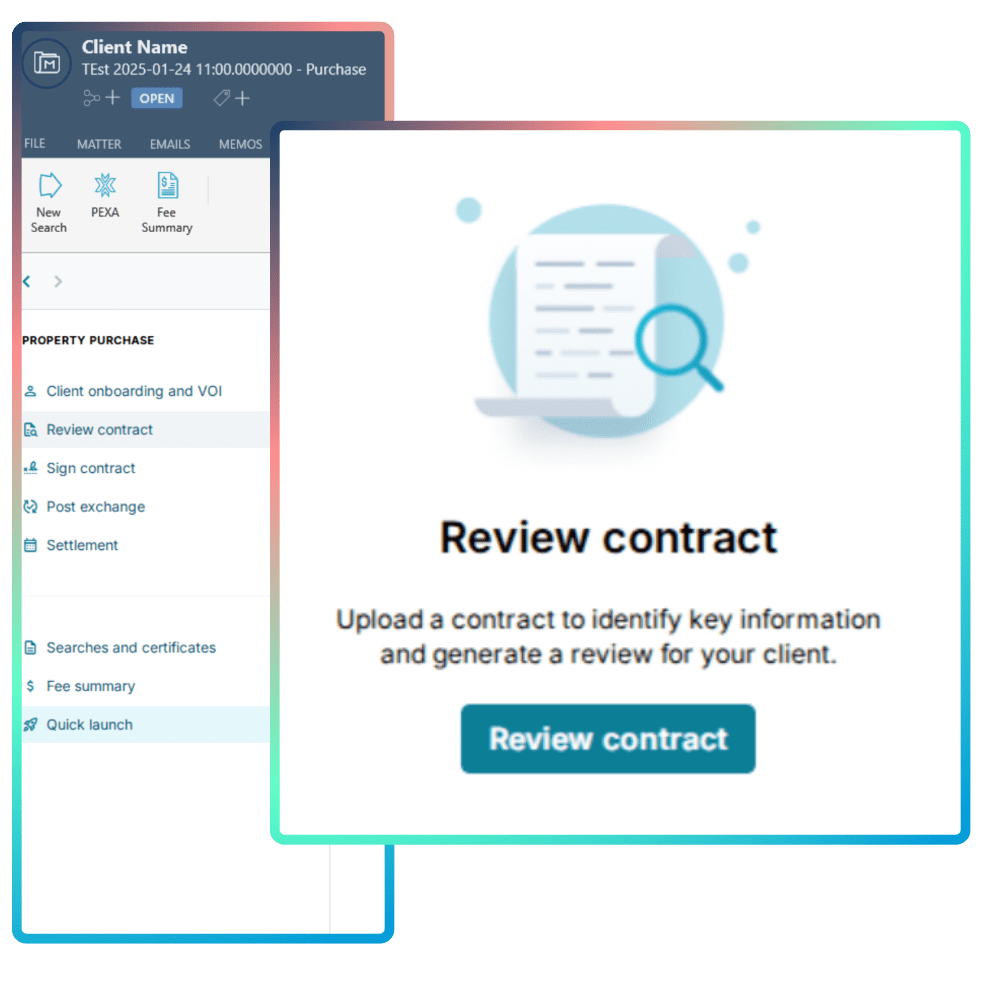
1. Upload contract for review

From the Quick Launch screen in One Flow, upload your contract to identify key information for your review.

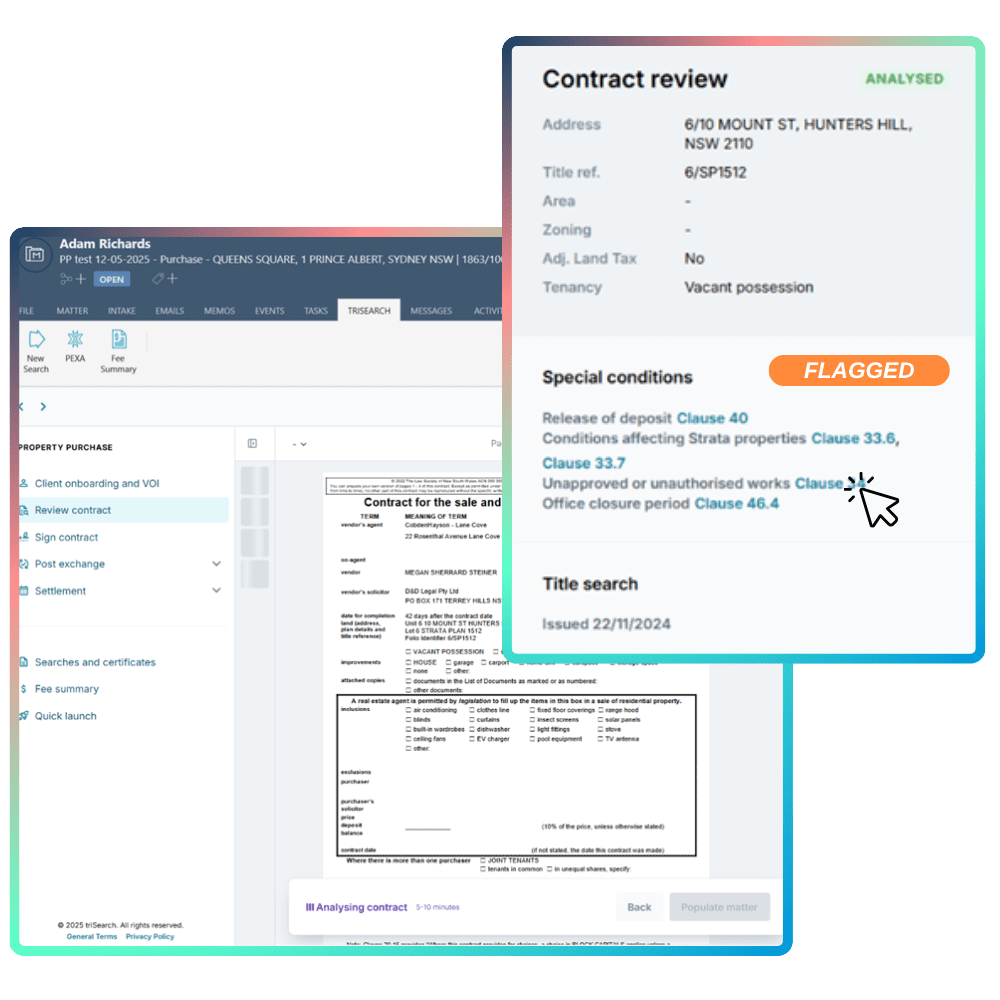
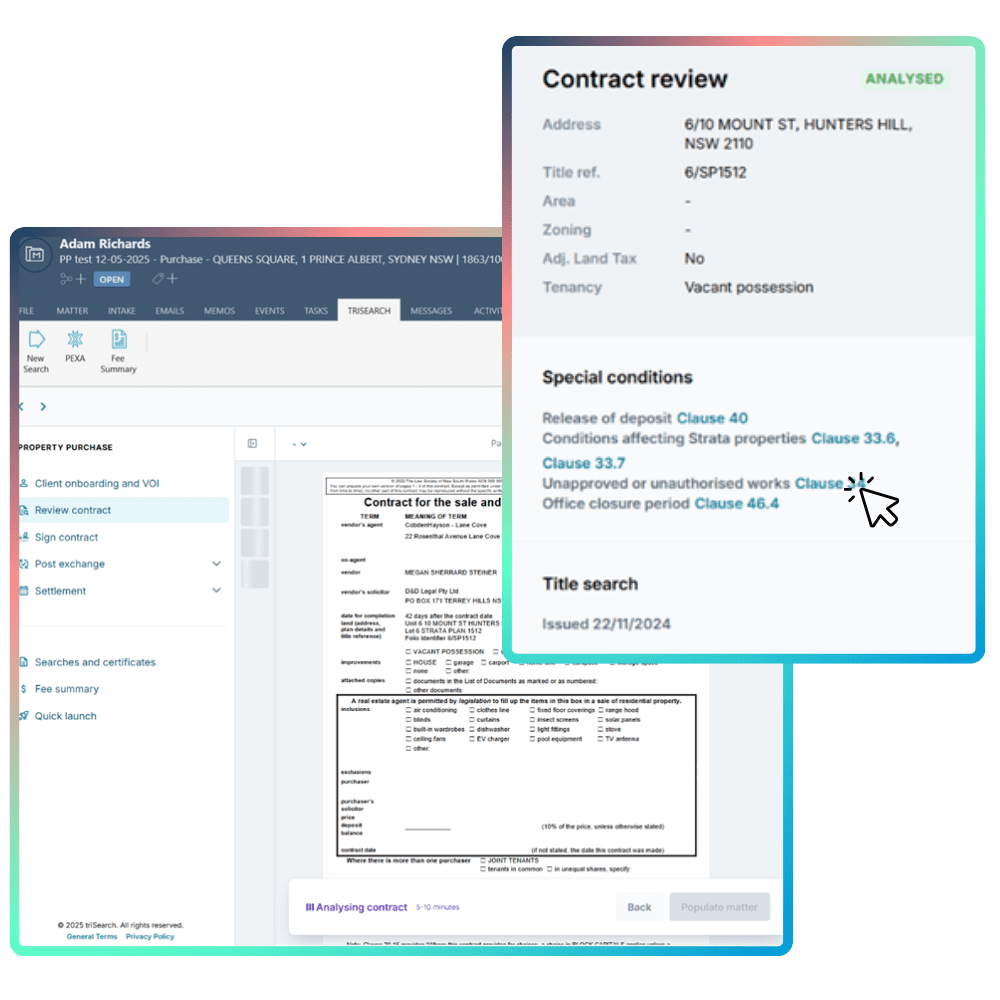
2. Review flagged items

Your AI Assistant will flag information it believes could be a cause for concern, in the right-side panel. It's broken into four sections; General contract information, Special conditions, Title Search & Section 10.7 Certificate.

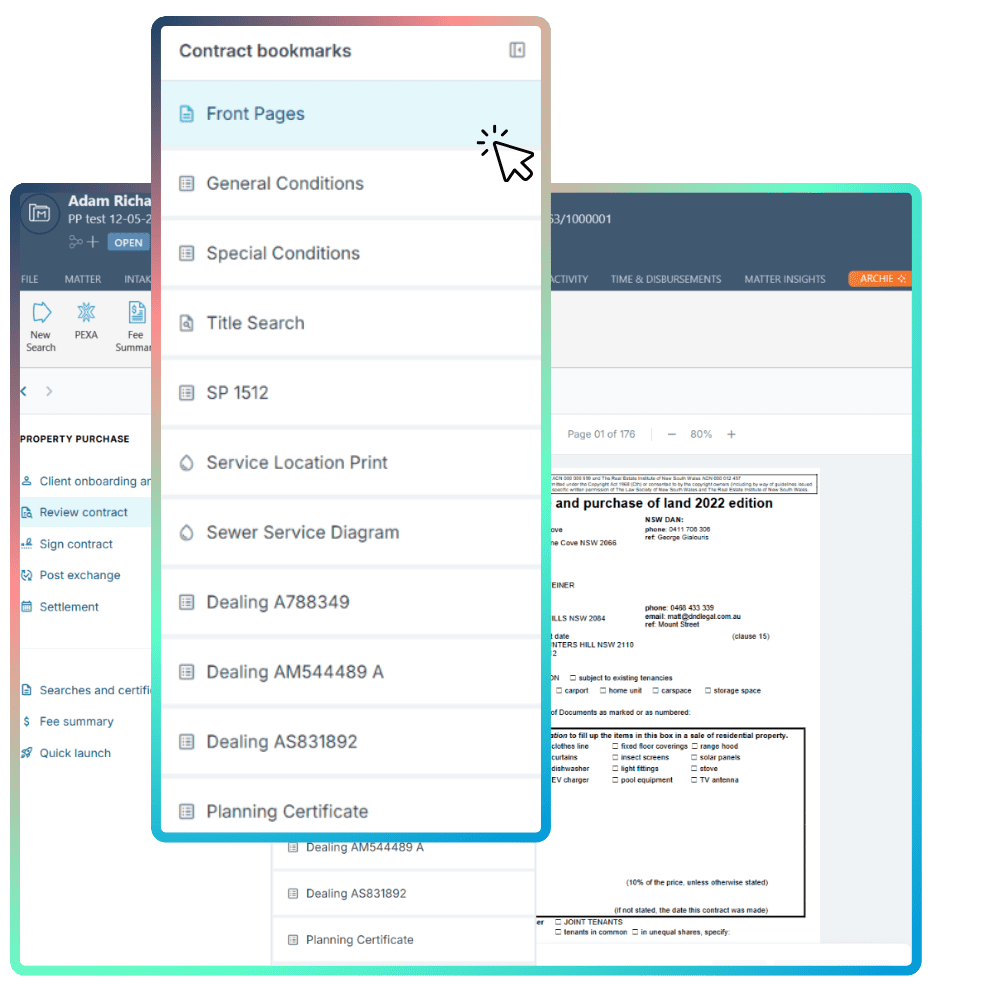
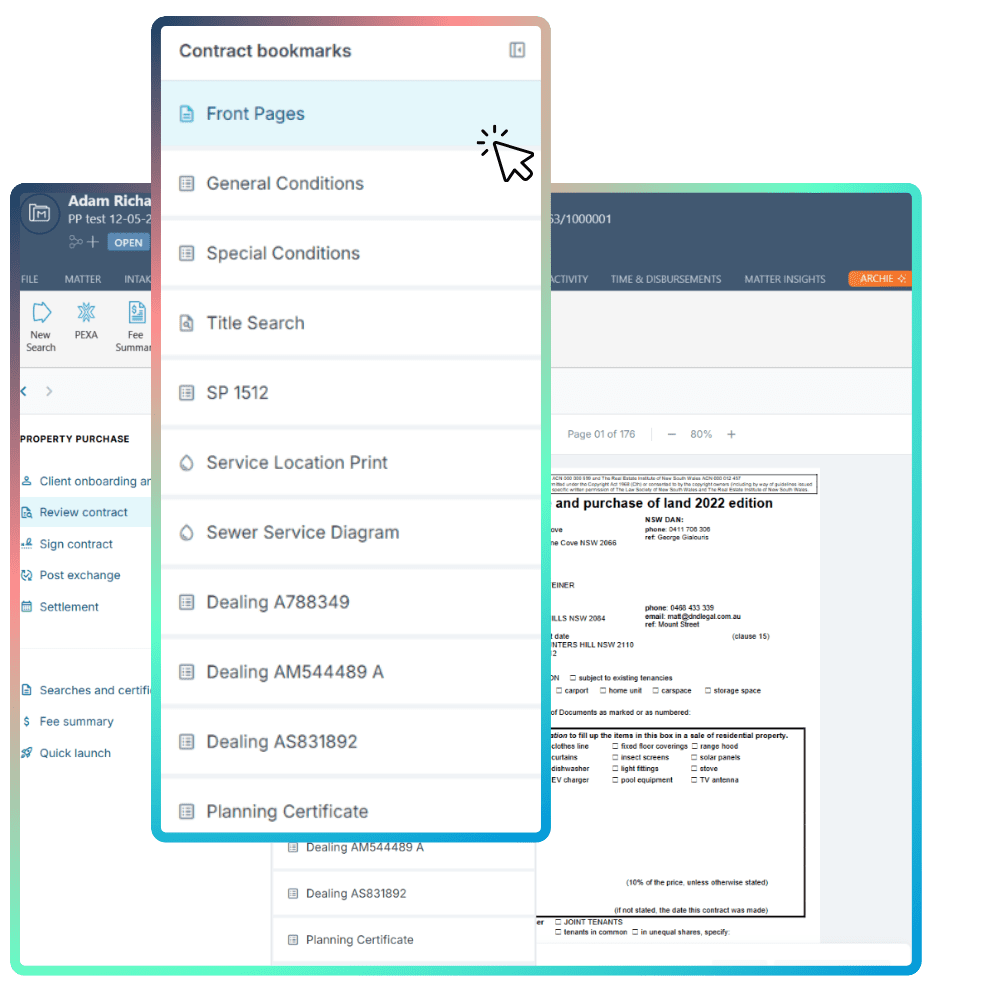
3. Navigate pages using contract bookmarks

Swap between pages of your contract using the bookmarks tool to quickly and easily navigate your contract.

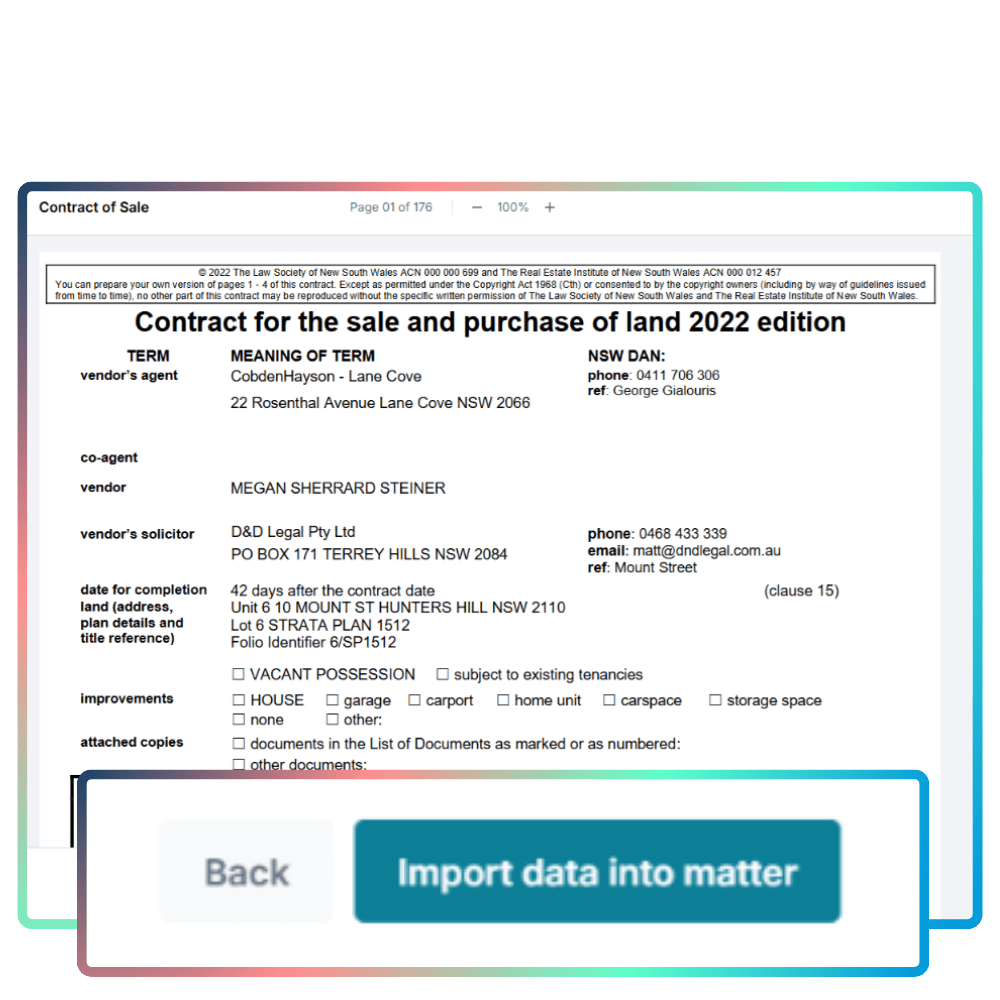
4. Populate matter from contract details

Easily map the details from your contract back into your matter fields
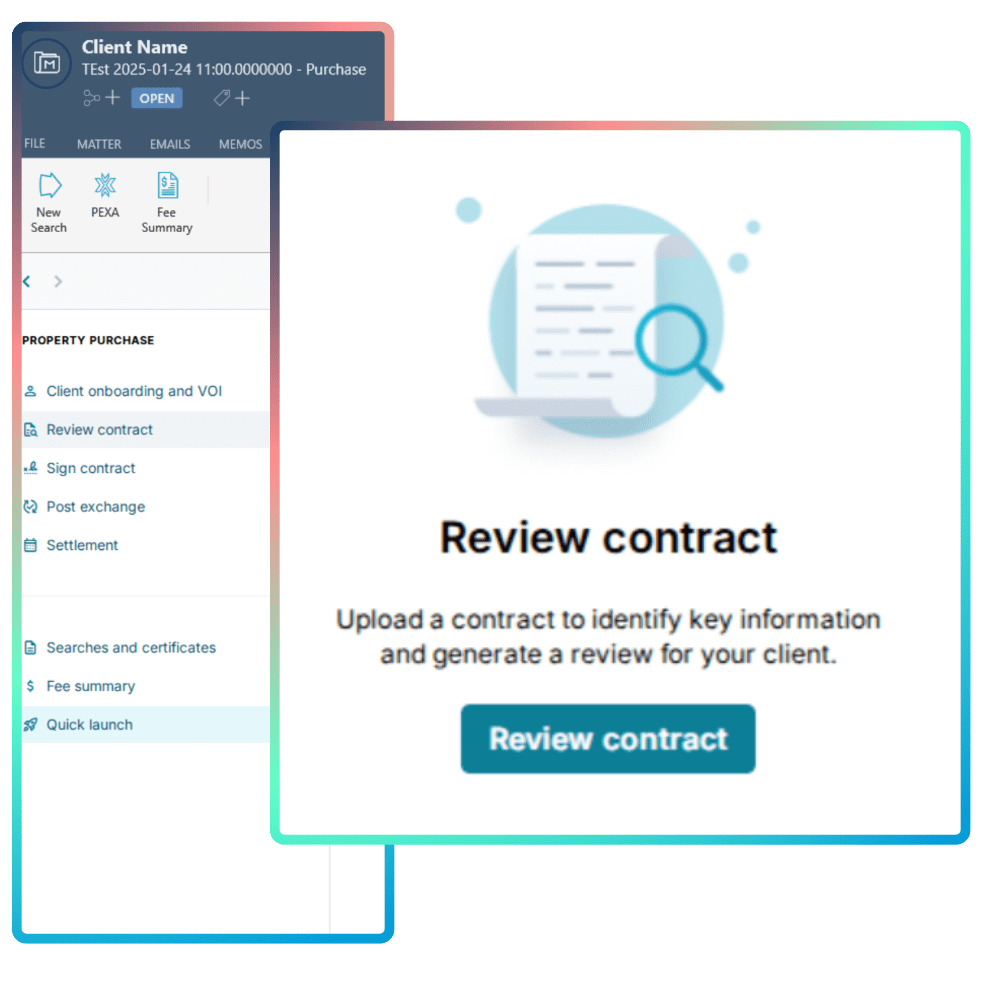
From the Quick Launch screen in One Flow, upload your contract to identify key information for your review.
Your AI Assistant will flag information it believes could be a cause for concern, in the right-side panel. It's broken into four sections; General contract information, Special conditions, Title Search & Section 10.7 Certificate.
Swap between pages of your contract using the bookmarks tool to quickly and easily navigate your contract.
Easily map the details from your contract back into your matter fields
AI Contract Review Process

This tool is designed to identify and highlight key issues for you to review before you provide advice to potential purchasers. Start the process from the Quick Launch screen in Oneflow. 

1. Upload contract for review

From the Quick Launch screen in One Flow, upload your contract to identify key information for your review.

2. Review Flagged items

Your side panel will populate with all the flagged clauses and conditions for you to review. Click through to expand the clause.

3. Navigate pages using Contract Bookmarks

Swap between pages of your contract using the bookmarks tool to quickly and easily navigate your contract.

4. Populate Matter from Contract details

Easily map the details from your contract back into your matter fields
Key features

The AI Contract Review tool streamlines the entire contract review process, giving you faster insights and easier navigation.

  • Flag items for your review

    Key items in the Special Conditions and Section 10.7 Certificate are flagged in the side panel, so you know where to focus before you advise your client.

  • Identify differences

    Checks the issued date of the Title search and flags where the Vendor name or Property references don't match the contract front pages.

  • Navigate your contract

    Bookmarks are added automatically to your uploaded contract, so you can move between pages and sections without scrolling.

  • Populate your matter

    Map the details from your contract straight into your matter fields, so you don't have to re-key them.

  • Edit with your professional judgment

    Click to edit or hide text in the report, so the final call always stays with you.

  • Share with your clients

    Export your report with your edits and branding as a client-ready PDF.

Frequently asked questions

Here are some of the questions we hear about One Flow. the AI Contract Review tool.

Does the review tool, review all documents in the Contract?

The Contract review tool is a new product that is actively in development. It currently reviews General contract information, Special conditions, Title search and Section 10.7. It will highlight key items for review in the Special Conditions and Section 10.7 Certificate, identify the issued date of the Title search and if the Vendor name or Property details do not match the Contract front pages. The Contract Review tool is designed to support your due diligence, not replace it.

Is there a file size limit for the Contract?

Currently, the review tool can only process documents up to 50mb.

How long should the review take?

The time to review a Contract will vary depending on the size of the document and its attachments. Typically, it takes anywhere between 2 to 10 minutes to complete the review.

Will the tool work on a scanned document?
Yes, good quality scanned contract documents are supported.
If I review multiple contracts in one matter, how many times can I sync the Contract details back to the matter?

Importing data back to your matter can only be done once per matter. A warning message will be displayed before navigating you to the Contract extraction screen to view the fields before sending the data back to your matter.

Available through One Flow

The AI Contract Review tool is available to triConvey users through One Flow.